Unable to save or edit desktop settings in icn problem? Sometimes, When you've upgraded ICN from 2.0.3.x to 3.0.x version, desktops in
ICN cannot be edited or save changes and you only have option to close settings without saving properly. Even though when you're trying to create a new desktop,
save/save and close buttons don't respond.
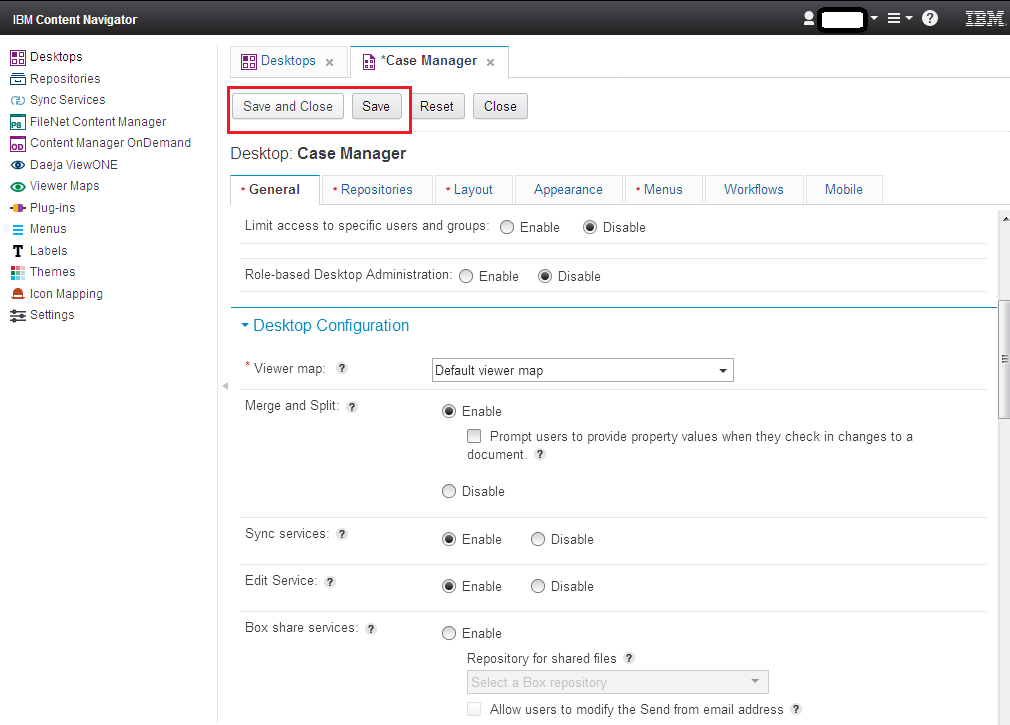
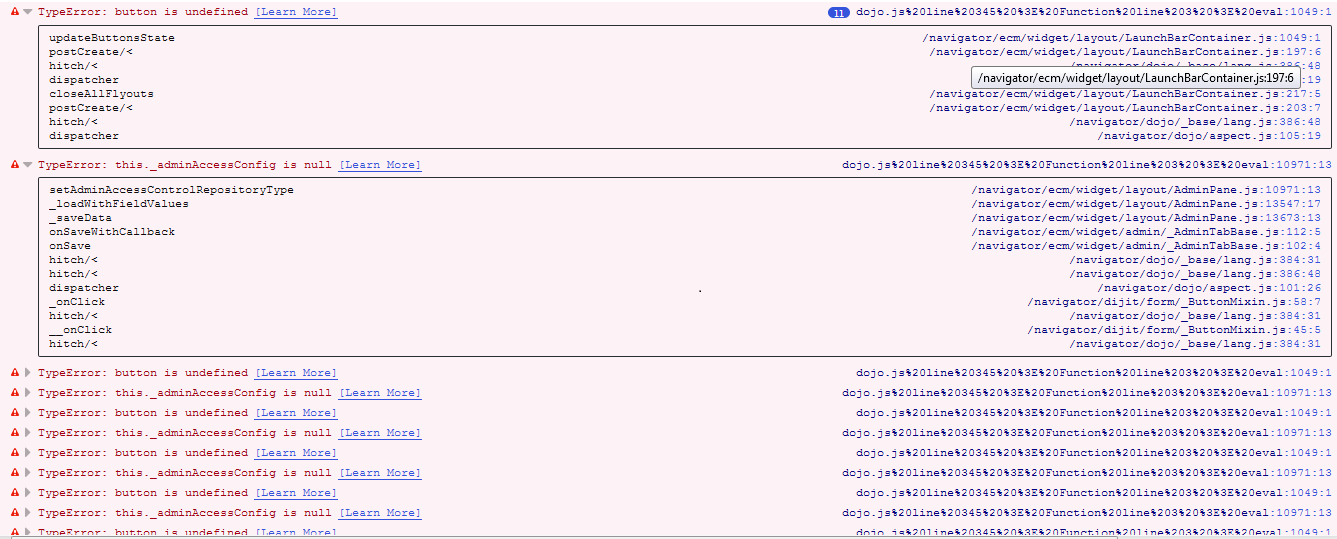
In this scenario, there is nothing captured in logs files but when you try to run icn in debug mode, in java console it through
TypeError: button is undefined and
TypeError: this._adminAccessConfig is null like here:
Solution for Unable to Save or Edit Desktop settings in ICN:
To solve this problem please perform the following steps:
- Backup and then delete the following from the web-inf/classes folder:
/com
/netscape
/org
wcversion.properties
- Once the directories are removed, un-deploy Content Navigator and clear the Websphere cache.
- Then run the following ICN Configuration and Deployment steps again:-
- Configure the IBM Content Navigator Web Application
- Build the Web Application
- Deploy the Web Application
Try to edit desktop again, now you can easily edit and modify desktop settings for ICM desktops and can create new ones as well. For more details, please visit this
tech note.

0 Comments
Leave a Reply
Your email address will not be published. Required fields are marked *