
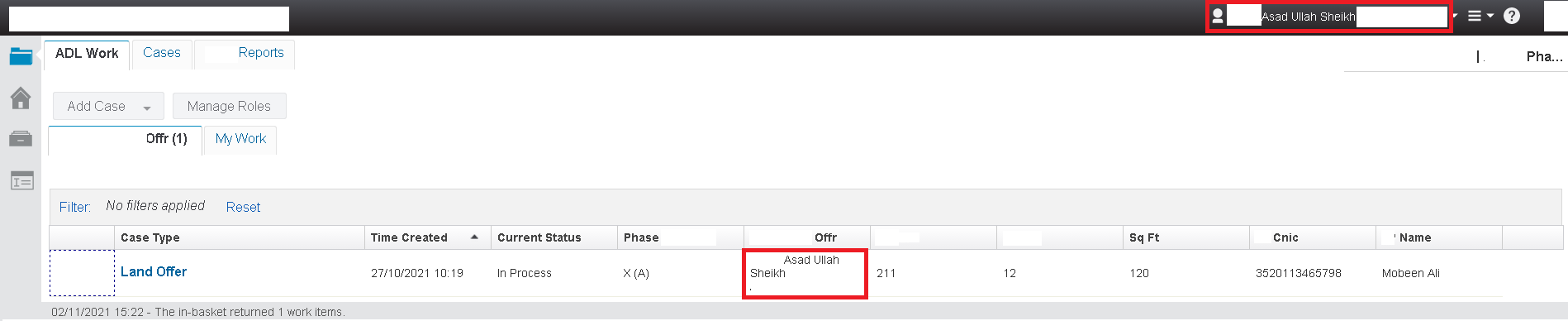
Environment:
- Case Manager 5.2.1.x / 5.3.3.x
- Content Platform Engine 5.2.1.x / 5.5.x
- Content Navigator 2.0.3.x / 3.0.x
- WebSphere Application Server 8.5.5.x / 9.0.5.x
Solution:
Therefore, perform the following steps:- First of all, In Case Manager Builder, open Page Designer on the Work page.
- Secondly, drag the Script Adapter widget from the widget palette area to the main layout area.
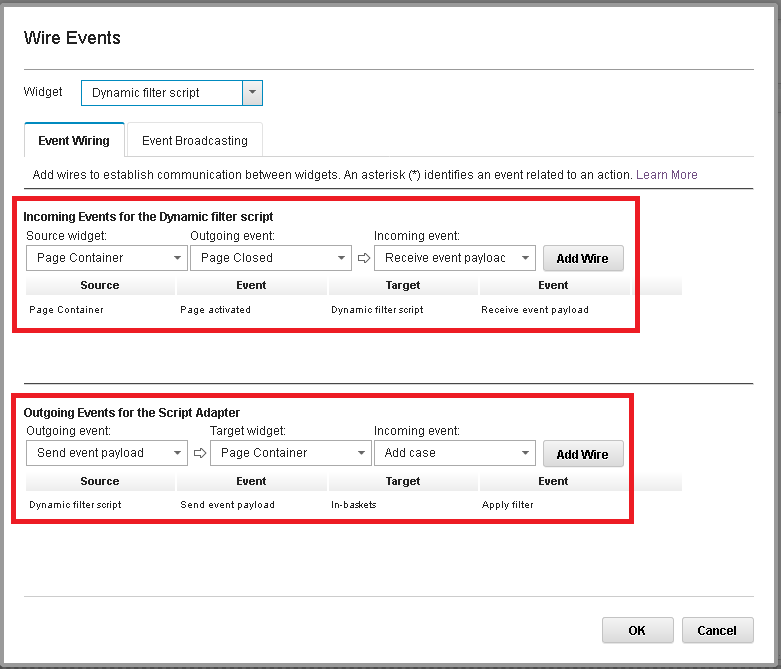
- Thirdly, wire the Script Adapter widget to the Page Container widget under the Incoming Events section by setting the following values:
- Source widget: Page Container
- Outgoing event: Page Activated
- Incoming event: Receive event payload
- Click on add wiring in wiring setting.
- Forthly, wire the Script Adapter widget to the Page Container widget under the Outgoing Events section by setting the following values:
- Outgoing Event: Send event payload
- Target widget: In-baskets
- Incoming event: Apply filter
- Click on add wiring in wiring setting. As described here:
- In addition, click the Edit Settings icon for the Script Adapter widget and paste the following code (Change the property, queue, and inbasket names accordin to your's):
var myUser = ecm.model.desktop.userDisplayName; var data = { "queueName":"ABC_Offr", "inbasketName":"Offr", "hideFilterUI":false, "queryFilter":"(ABC_OffrName = :A)", "queryFields":[ { "name":"Offr Name", "type":"xs:string", "value":"*" } ], "hideLockedByOther":"true" }; data.queryFields[0].value = myUser; var model = icm.model.InbasketDynamicFilter.fromJSON(data); console.log(model); var modelArray = []; modelArray.push(model); return {"dynamicFilters":modelArray};
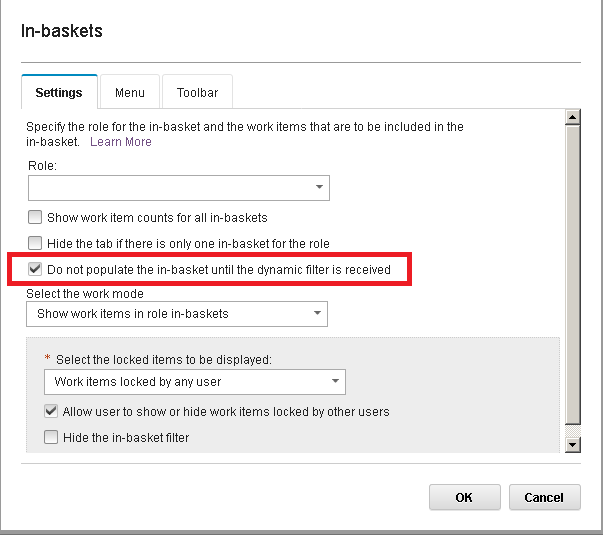
- Importantly, click the Edit Settings icon for the In-baskets widget and select the Do not populate the in-basket until the dynamic filter is received option. Whereas, this ensures that the in-basket widget loads only when the filter is received.
- Save and close the changes to the page within Page Designer. Furthermore, ensure that the newly created case property ABC_OffrName is available to the case type and the Offr in-basket.
- Logon to icm desktop where you assigned relevant Offr name. However, It will check the logon display name to the property Offr to match and will display the case accordingly. At last, below is the example output:
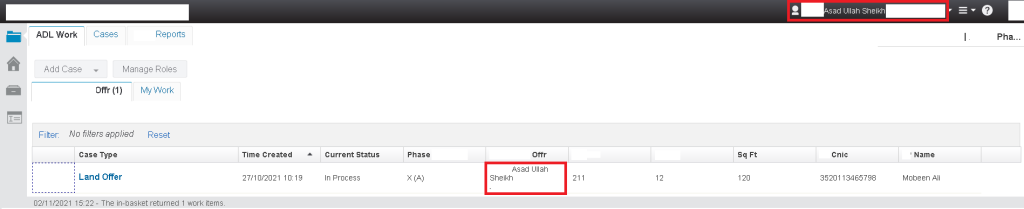
It has been tested for Case Manager 5.2.1.x / 5.3.3.x where its working correctly. Secondly, this code will also work in IBM BAW 19.x / 20.x releases as well. You can share the IBM BPM work items where you have similar requirement at junaid.azam@iparagons.com please. Thank you.
Did you achieve your requirment of dynamic in basket filter? What is your environment where you want to fulfill this requirement?
I tried this script and it is working for single value but giving error when i am trying to pass array of value. My scenario is, i need to filter work item based on login user's department and user can be associated with single or multiple department. So this script is working for single department but when i am trying to pass array of department then getting error. So can you help me to solve this issue or tell me the syntax to pass array of value for filter.
Yeah sure, Basically you want to apply dynamic filter for different departments against single logon user. Right ?
Please share the details or screenshots on junaid.azam@iparagons.com with you brief requirement. I'll share the script to resolve this problem. Sorry for late reply. Thank you.
Thanks for help with Dynamic filter code. My Requirement also need to filter work item based on login user’s department and user can be associated with single or multiple department.
Can you please help in me with the syntax to pass array of value for filter.
Check your email please. Let me know if this achieve your requirement or not.
Thank you.