
- First of all add website widget, rename it to some different on Case Work Details Page and wire its incoming event like;
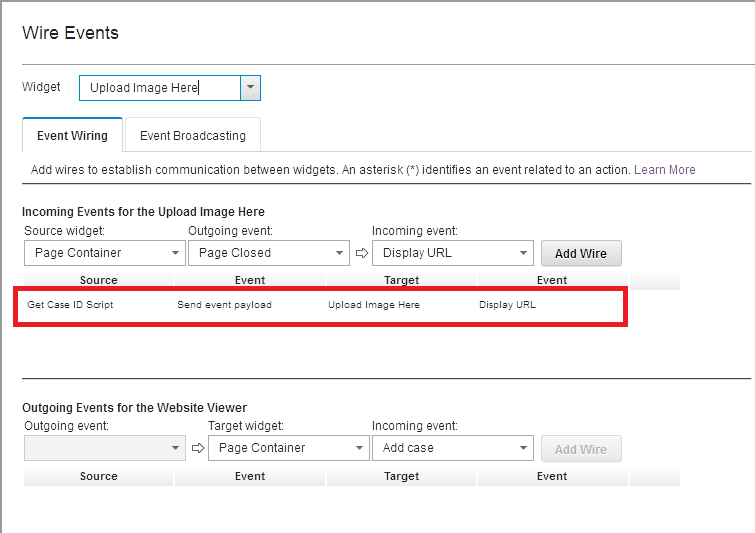
Solution to get caseidentifier from a script adaptor:
- Add hidden script adaptor on Case Work Details Page and add the following code (Modify as per your requirements):
console.log("DEBUG-SampleScriptAdapter-ENTRY"); var thisobj = this; payload.workItemEditable.icmWorkItem.caseObject.retrieveCachedAttributes( function(caseObject) { console.log("DEBUG-retrieveCachedAttributes-ENTRY"); var caseID = caseObject.caseIdentifier; console.log("caseID: "+caseID); var url = "http://icmserver.ibm.com/upload/upload.php?CASEID="+caseID; console.log(url); thisobj.onBroadcastEvent("icm.DisplayUrl", url); return url; console.log("DEBUG-retrieveCachedAttributes-EXIT"); }); console.log("DEBUG-SampleScriptAdapter-EXIT"); // return payload;
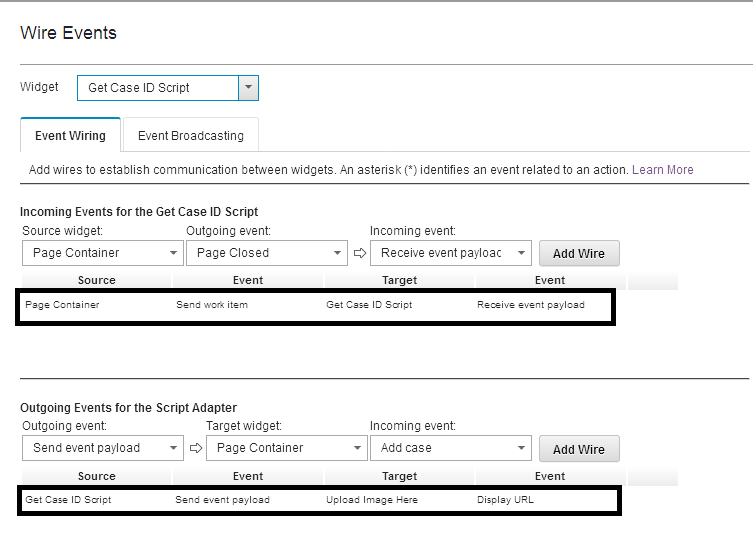
- Wire its incoming and outgoing wiring as described below:
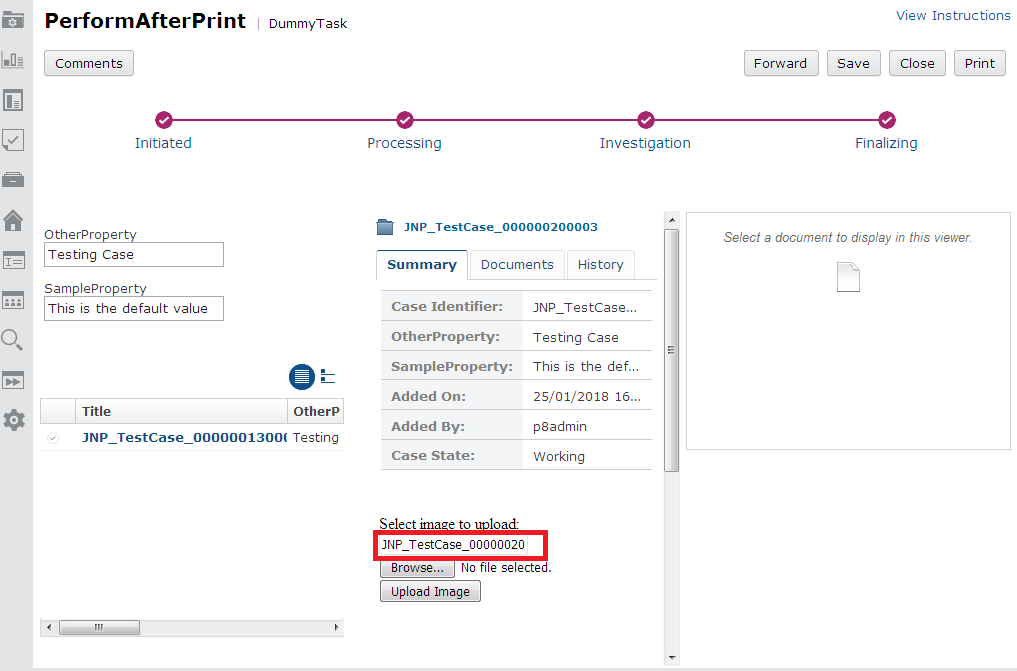
 Once these changes made, caseidentifier will be pass/assigned to website widget and results will be displayed on that website widget. e.g.
 Note: this code is for both ICM 5.2.x and ICM 5.3.x. Complete details is mentioned on this tech note about case identifier https://www.ibm.com/docs/SSCTJ4_5.3.0/com.ibm.casemgmt.development.doc/acmdv119.htm
achieved the same in my ICM 5.2 environment successfully.