One can use the
Case List widget to display a list of all
Related Cases cases on
Case Work Details Page that are somehow related to the cases you're looking for. To achieve this requirement, you can visit
https://www.ibm.com/developerworks/community/blogs/e8206aad-10e2-4c49-b00c-fee572815374/entry/displaying_related_cases_in_icm_5_2?lang=en for comprehensive solution and it is effective for both ICM 5.2 and 5.3 environments.
Beside this, follow these step by step instructions:
- Add a case list widget to your Work Details page.
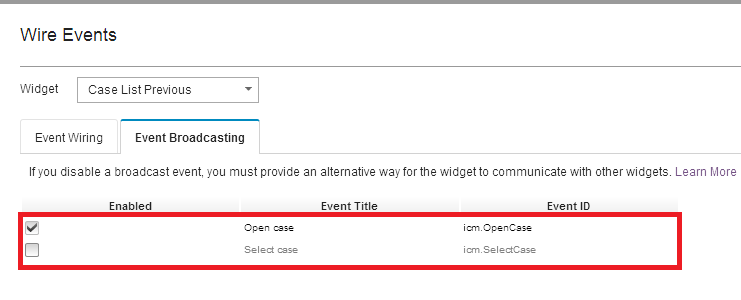
- Edit Case List Widget Event Broadcasting and uncheck the select case option. This ensures the case list does not interfere with case information widget.
- Add a Script Adapter widget to the hidden page area and enter the following script (Change _OtherProperty according to your requirement):
var solution = this.solution;
var params = {};
var self = this;
var prefix = solution.prefix;
params.ObjectStore = solution.getTargetOS().id;
var custID = payload.workItemEditable.propertiesCollection[prefix+"_OtherProperty"].value;
console.log ("Other Property: ",custID);
var caseObj = payload.workItemEditable.icmWorkItem.caseObject;
caseObj.retrieveCachedAttributes(function(caseObject) {
var caseID = caseObject.caseIdentifier;
console.log ("Case ID: ",caseID);
var criterion1 = new ecm.model.SearchCriterion({"id":
prefix+"_OtherProperty", "name" : "OtherProperty","selectedOperator": "STARTSWITH", "defaultOperator":
"STARTSWITH", "dataType": "xs:string"});
criterion1.value = custID ;
criterion1.defaultValue = custID ;
criterion1.setValues( [custID]);
var criterion2 = new ecm.model.SearchCriterion({"id":
"cmAcmCaseIdentifier", "name" : "Title", "anded": true,
"selectedOperator": "NOTEQUAL", "defaultOperator":
"NOTEQUAL", "dataType": "xs:string"});
criterion2.value = caseID;
criterion2.defaultValue = caseID;
criterion2.setValues( [caseID]);
params.criterions = [criterion1, criterion2];
params.CaseType = ""; /* all case types */
params.solution = solution;
var searchPayload = new icm.util.SearchPayload();
searchPayload.setModel(params);
searchPayload.getSearchPayload(function(payload) {
self.onBroadcastEvent("icm.SearchCases", payload);
});
});
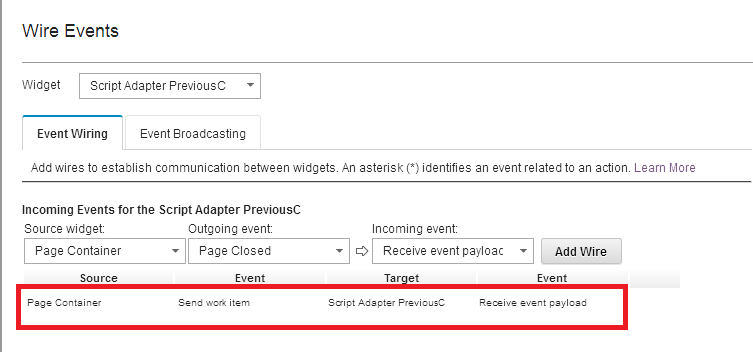
- Wire the inbound event of the Script adapter from the Page Container's send Work Item event.
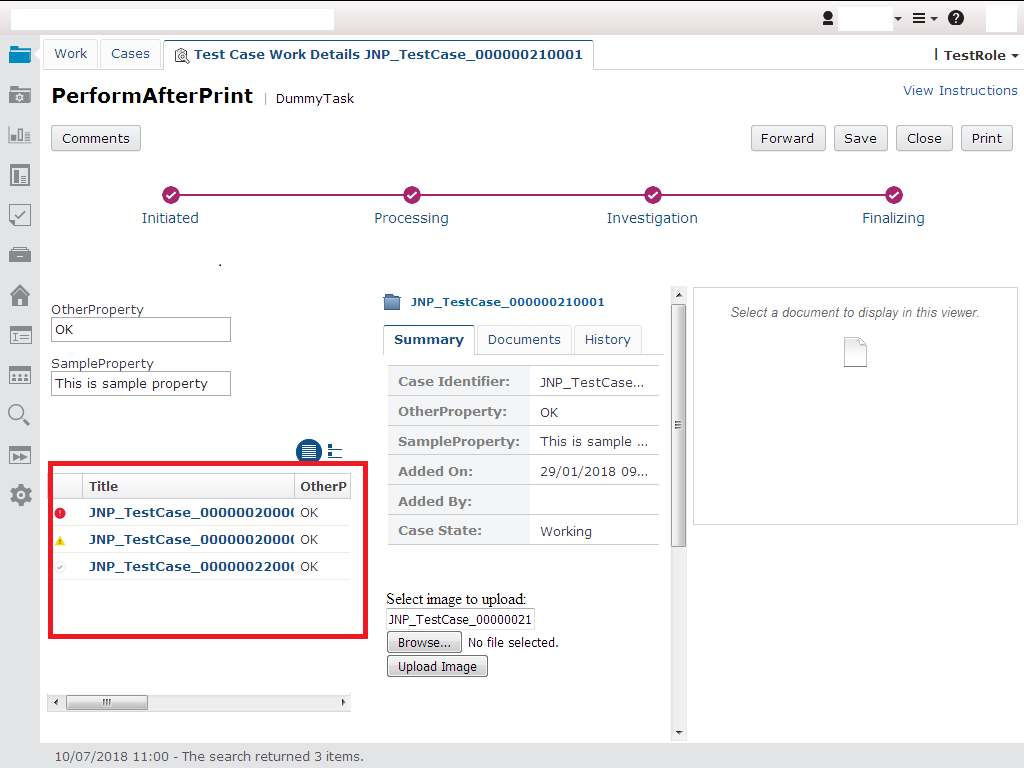
- Save and close settings, deploy the solution and than open case from In-Basket, On Work Details Page Case List widget will display relevant cases.


0 Comments
Leave a Reply
Your email address will not be published. Required fields are marked *